

Opera Browser 139.0.6053.22
Opera Browser in 2026 is a feature-rich, Chromium-based browser that goes far beyond basic web browsing. The Opera One R3 release brings Opera AI (which reads your tabs and summarizes videos), Browser Connector for ChatGPT and Claude integration, four-way Split Screen, Tab Islands, and sidebar access to Gmail, Google Calendar, Gemini, and Google Translate. Security is a standout: Paste Protect is the first native clipboard protection against ClickFix attacks, and the free built-in VPN (no account, no limits, audited by Deloitte) now auto-activates on public Wi-Fi. Opera GX adds gaming-specific features like CPU/RAM limiters, Twitch/Discord integration, and the playful Playground hub. Market share remains small at ~2%, but for users who want AI, security, and a free VPN without subscriptions, Opera is one of the best choices available. Available on Windows, macOS, Linux, Android, and iOS.
- Free
- Windows
- macOS
- Android
- iOS
- Nov 12, 2026
09c7db60a21598763334032359ed20343524ab41be11e513ea41077b020f6f97Screenshots
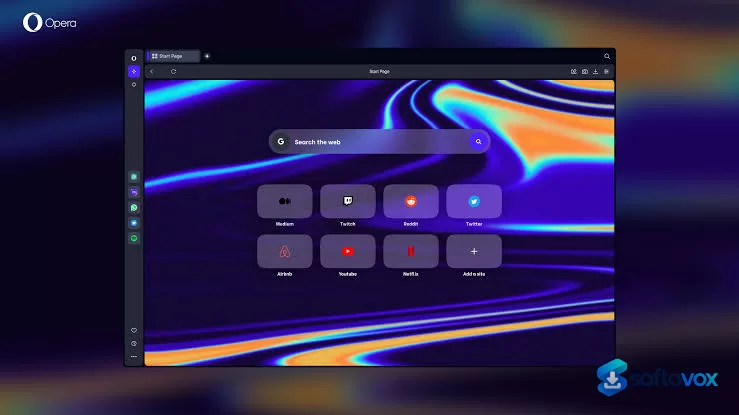
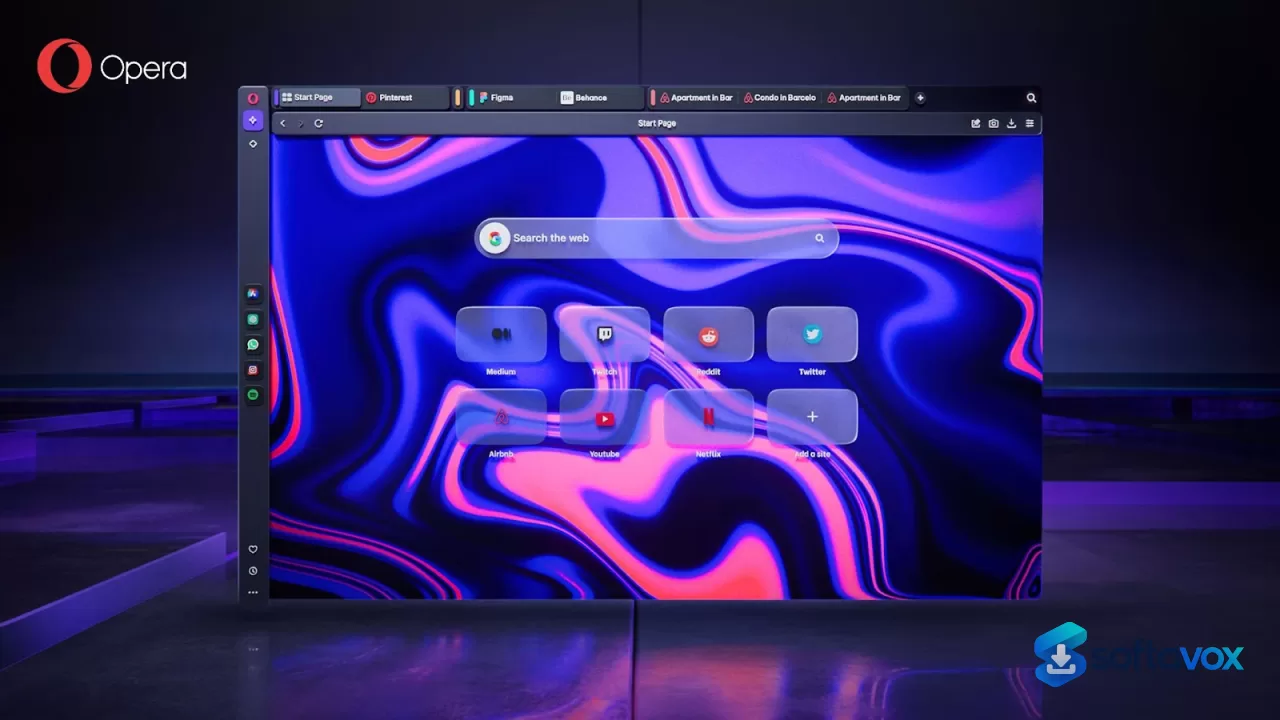
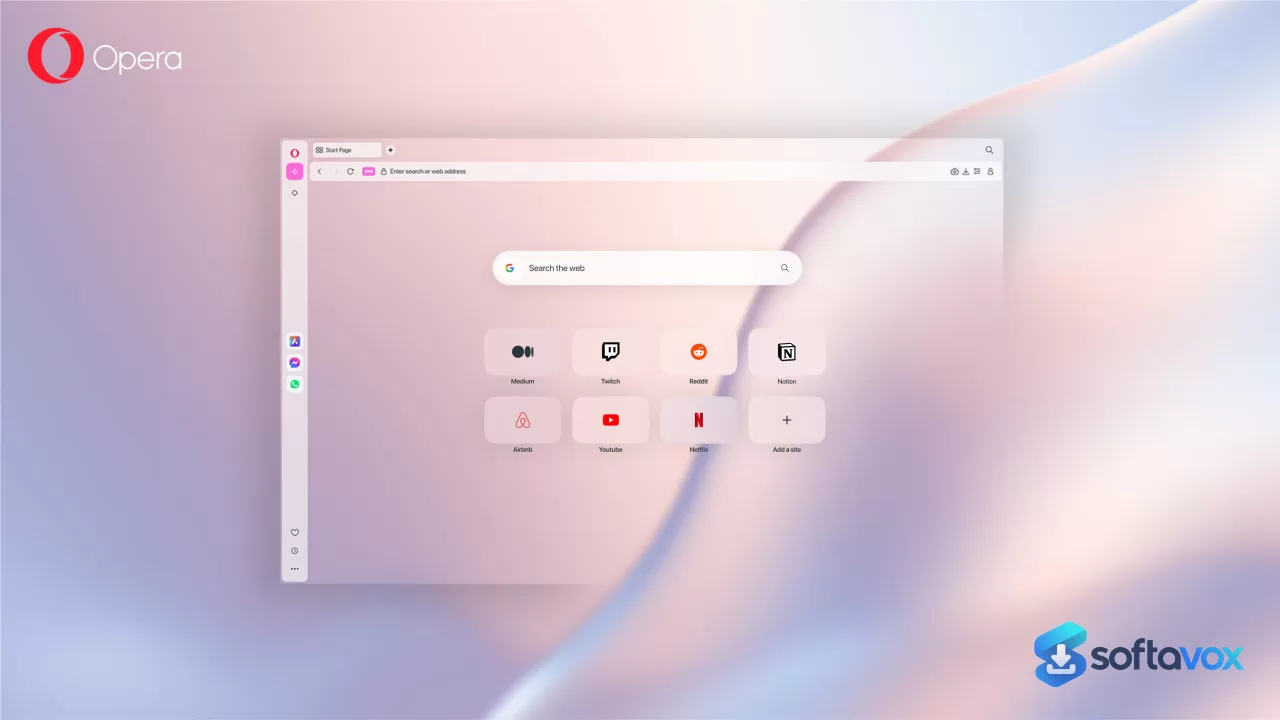
About Opera Browser
Opera Browser Download, Fast, Feature-Rich Browsing with Free VPN
TL;DR Quick Take / Who is this for?
Opera is a Chromium-based browser that bundles a surprising number of features most people would otherwise install as separate extensions: a native ad blocker, a free unlimited VPN, a sidebar with integrated messengers, and an AI assistant called Aria[reference:1]. For users who want a fast, privacy-conscious browser without the hassle of configuring a dozen add-ons, it is one of the most convenient options available. The browser is free, and its mobile and desktop versions are consistently rated highly on app stores, with Chrome Stats showing a 4.76 average from over 5.3 million ratings[reference:2]. The trade-offs are significant and have grown more pronounced. User sentiment on Trustpilot is poor, sitting at around 2 out of 5, with complaints about the browser becoming slow, freezing, and suffering from "out of memory" crashes in recent updates[reference:3][reference:4]. The free VPN is more of a proxy with limited locations, not a full replacement for a dedicated service[reference:5]. More importantly, Opera has faced repeated questions about its data collection practices and a 2026 security flaw in its AI features, which has led some privacy-focused communities to describe it as "spyware"[reference:7]. Opera is the right pick for casual users, gamers using Opera GX, and anyone who values convenience and built-in tools over absolute minimalism or a spotless privacy record. It is not the best choice for users who prioritize a clean, open-source browser with a transparent privacy policy.
Quick Info Box
| License Type | Freeware (Freemium model for some features) |
|---|---|
| File Size | Approx. 117–140 MB (Windows installer)[reference:8] |
| OS Compatibility | Windows 7/8/10/11, macOS, Linux, Android, iOS |
| Latest Version | 139.0.6053.22 (as of October 2026)[reference:9] |
| Developer | Opera Norway AS (owned by Kunlun Tech and others) |
Key Features & Real-World Usability
Opera’s primary appeal is the sheer number of tools integrated into a single package. The native ad blocker is effective at removing intrusive ads and speeding up page loads, a feature users consistently praise[reference:11]. The free VPN is another headline feature, offering unlimited data with no subscription, though it is important to understand its limits: it functions as a proxy with a limited number of server locations, not a full-fledged VPN with the server diversity of a dedicated service like Proton VPN[reference:12]. The sidebar is a genuinely useful workflow tool, providing quick access to messaging apps like WhatsApp and Facebook Messenger, as well as tools like Gmail and Google Calendar on newer versions[reference:14]. The Aria AI assistant is integrated into the browser for text generation, summarization, and web lookups, and the Opera One R3 update made its responses faster and added on-screen awareness[reference:15][reference:16]. For gamers, Opera GX offers unique features like CPU, RAM, and network limiters, Twitch integration, and a dedicated gaming aesthetic[reference:17]. However, the browser is not without its flaws. Recent user reports and forum posts describe significant stability issues, including frequent freezing, crashes on tab recovery, and "out of memory" errors even with a moderate number of tabs open[reference:18][reference:19]. The interface, while customizable, can feel cluttered for users accustomed to a more minimalist browser, and some websites may not be perfectly optimized for Opera compared to Chrome, leading to occasional compatibility quirks.
- Built-in Ad Blocker: Removes intrusive ads and pop-ups automatically, leading to faster page loads and a cleaner browsing experience[reference:21].
- Free Unlimited VPN: Provides a no-log, no-data-cap VPN for basic privacy, though it is more of a proxy with limited locations than a full VPN service[reference:22][reference:23].
- Integrated Sidebar: Offers quick access to messaging apps, social media, and productivity tools like Gmail and Google Calendar without leaving the browser[reference:25].
- Aria AI Assistant: A built-in AI tool for text generation, summarization, and web-aware queries, with recent updates improving speed and context awareness[reference:26][reference:27].
- Tab Islands (Opera One): An automated and customizable tab grouping system that helps organize work, shopping, and research tabs into color-coded groups[reference:28].
- Opera GX for Gamers: A specialized version with resource limiters for CPU, RAM, and network, plus integrations for Twitch and other gaming features[reference:29].
Pros, Cons & Community/User Feedback
User sentiment around Opera is deeply divided, reflecting the gap between its feature-rich surface and its underlying stability and privacy reputation. On professional review sites, the browser is well-regarded for its value. On Software Advice, it holds a 4.6 rating from 215 reviews, with 80% of users recommending it[reference:30]. Reviewers consistently praise the built-in tools, with one noting it is a "lightweight and resource-efficient browser with a built-in ad blocker, free VPN, and enhanced privacy features". Another user highlighted the convenience of the sidebar and the Flow feature for syncing with mobile devices. The integrated AI and the organization features of Opera One R3 have also received positive coverage from tech outlets like ZDNET, which called it a compelling alternative to Chrome and Safari[reference:33]. The complaints, however, are persistent and serious. On Trustpilot, the service is rated "Poor" with a score of 2 out of 5, and reviewers report that the product has "gone downhill, with major defects and issues"[reference:34]. The most common technical complaint is stability. Forum users report that "2026 updates are terrible," with the browser freezing often and requiring a restart through Task Manager[reference:35]. Others describe "out of memory" crashes that cause the loss of all open work[reference:36]. Performance is also a recurring issue, with users noting it can be "slow sometimes" and that some websites are better optimized for Chrome, leading to compatibility issues[reference:38]. The most significant concern, however, is privacy and trust. A 2026 security flaw in Opera GX allowed malicious sites to auto-install mods and leak user data, and a separate flaw in Opera Neon's AI allowed extensions to hijack commands[reference:39]. Furthermore, Opera's default data collection practices, which tie usage statistics to an installation ID for up to three years, have led privacy-focused communities to label the browser as "spyware" and raise questions about its ownership by a Chinese consortium[reference:40][reference:41].
Pros
- Extensive built-in feature set: ad blocker, free VPN, AI assistant, and sidebar
- Generally fast and lightweight performance in daily use[reference:43]
- Free VPN offers unlimited data with no subscription[reference:44]
- Unique organization tools like Tab Islands and split-screen view in Opera One R3[reference:45]
- Dedicated gaming version (Opera GX) with resource limiters[reference:46]
- High user ratings on app stores (4.76 average from millions of ratings)[reference:47]
Cons
- Significant stability issues reported in 2026: frequent freezing and "out of memory" crashes[reference:48]
- Poor Trustpilot rating (approx. 2/5) reflecting widespread user frustration[reference:49]
- Free VPN is a limited proxy, not a full VPN service[reference:50]
- Default data collection tied to an installation ID for up to three years
- History of security flaws in AI and extension features (Opera GX, Opera Neon)[reference:52]
- Occasional website compatibility issues compared to Chrome[reference:53]
- Privacy-focused communities have raised concerns about the browser's ownership and data practices[reference:54]
Final Verdict & Safe Download Advice
Opera is a browser of contradictions. On paper, it offers an unbeatable package of built-in tools, a VPN, an ad blocker, an AI assistant, and a messenger sidebar, that would require several extensions to replicate in Chrome or Firefox. For a casual user who wants a fast, feature-rich experience without the setup, Opera is genuinely compelling, and its mobile and gaming variants are well-liked. The Opera One R3 update also shows the company is actively improving the browser's organization and AI capabilities. However, the browser's recent track record on stability and privacy is a serious cause for concern. The 2026 reports of frequent freezes and memory-related crashes are not isolated incidents; they are a pattern that has frustrated long-term users and driven down its Trustpilot rating. More importantly, the browser's data collection practices and its history of security flaws in its AI features mean that privacy-conscious users should approach it with caution. If you prioritize a vast feature set and convenience above a spotless privacy record and flawless stability, Opera is a worthwhile and cost-effective choice. If you need a browser for sensitive work or you value a transparent, open-source codebase, a browser like Firefox or Brave is a safer and more reliable alternative.
- Download only from opera.com: The official website is the only legitimate source for the installer. Third-party download portals may bundle unwanted software, and Opera's own aggressive cross-promotion on the web makes it especially important to verify you are downloading from the genuine source[reference:55].
- Verify the installer size and version: The Windows installer is approximately 117–140 MB, and the current stable version is 139.0.6053.22. A dramatically smaller file or an older version number from an unofficial source is a warning sign[reference:56].
- Check system requirements before installing: Opera supports Windows 7 and later, macOS, and most modern Linux distributions. The mobile app requires Android or iOS.
- Review privacy settings immediately after installation: Opera collects usage statistics and may enable promotional features by default. Go to Settings > Privacy and disable options like "Help improve Opera" and any sponsored content to reduce your data footprint.
- Understand the limits of the free VPN: Do not use Opera's built-in VPN for activities that require strong anonymity or access to geo-restricted content in many countries. It is a basic proxy, not a full VPN, and its limited server locations mean it is best suited for light privacy protection on public Wi-Fi[reference:58].
- Do not download "cracked" or "Pro" versions: Opera is free, and there is no legitimate "Pro" version of the browser itself. Cracked installers are a common malware vector, and any site offering a premium version of the browser should be treated as suspicious.
Similar software


Key features
- Opera AI, Built-in AI assistant that reads your open tabs, summarizes YouTube videos, generates wallpapers, and answers questions based on page content
- Browser Connector, Connect ChatGPT and Claude to your browser session; AI can see open tabs, read content, and take screenshots for analysis
- MCP Connector (Opera Neon), External AI agents (Claude Code, n8n, Lovable) can operate directly inside your real browser session
- Paste Protect, First native clipboard protection in a major browser; blocks ClickFix and pastejacking attacks by default
- Free Built-in VPN, No account, no bandwidth limit, independently audited (Deloitte); auto-activates on public Wi-Fi in the US and France
- Split Screen (Four-Way), Divide your browser into up to four panes, horizontally or vertically
- Tab Islands, Organize tabs into color-coded, named groups that collapse and expand
- Sidebar Integrations, Gmail, Google Calendar, Gemini, Google Translate, WhatsApp, Telegram, and more
- Dynamic Themes, New Cybervroom and Mizumi themes, plus music-reactive themes
- Easy Files, Recently used files appear at the bottom of the screen when uploading
- Opera GX, Gaming browser with CPU/RAM/network limiters, Twitch and Discord integration, GX Mods, and the new Playground hub (Grass Touching Corner, Panic Button, Fake My History)
- Cross-Platform, Windows, macOS, Linux, Android, iOS, ChromeOS
- Chromium-Based, Compatible with Chrome Web Store extensions
Frequently asked questions about Opera Browser
Is Opera safe to use?
Is Opera free?
Which devices can I run Opera on?
What is Opera used for?
How is Opera different from Chrome?
How do I uninstall Opera?
Versions
| Version | Release date | Platform | File size | |
|---|---|---|---|---|
| Opera Browser 139.0.6053.22 Latest version | Sep 5, 2026 | WindowsmacOSAndroidiOS | 3.1 MB | Download |
Comments about Opera Browser
No comments yet. Share your experience with this program!